

One client.
Make it yours.
Bring your subscription. Give it your colors, your home screen, and a direct path back to your service.

For service providers
Your headers. Your home screen.
Give your service a name, an icon, and a way back to you. Follow each header to its place in Mihonator.
Edit a value. Follow it into the app.
Tap the round button to inspect its deeplink.
PROFILE-PAYMENT-URL The destination of the round button. Clear to hide it.
PROFILE-PAYMENT-ICON A transparent image URL or an emoji for the button.
PROFILE-SERVICE-NAME The name beside your service icon.
PROFILE-SERVICE-ICON A transparent image URL or an emoji.
Send it with the subscription.
These are HTTP response headers. Add them to the endpoint that serves your YAML profile.
The service and deeplink headers match the app. MIHONATOR-PALETTE is a proposal for app integration; all eight colors work in this preview.
curl -i 'https://sub.example.com/DEMO_TOKEN'PROFILE-PAYMENT-URL: demovpn://subscription/renew
PROFILE-PAYMENT-ICON: https://baresoft.net/images/mihonator/service/coin.svg
PROFILE-SERVICE-NAME: Demo VPN
PROFILE-SERVICE-ICON: https://baresoft.net/images/mihonator/service/ufo.svg
MIHONATOR-PALETTE: background=0D0D14; surface=181825; text=CDD6F4; muted=A6ADC8; accent=74C7EC; success=A6E3A1; warning=F9E2AF; error=F38BA8Service controls, palette, and subscription settings.
Explore the header referenceA clear view of your connection.
Profiles, proxy groups, and diagnostics. The same focused interface across your devices.
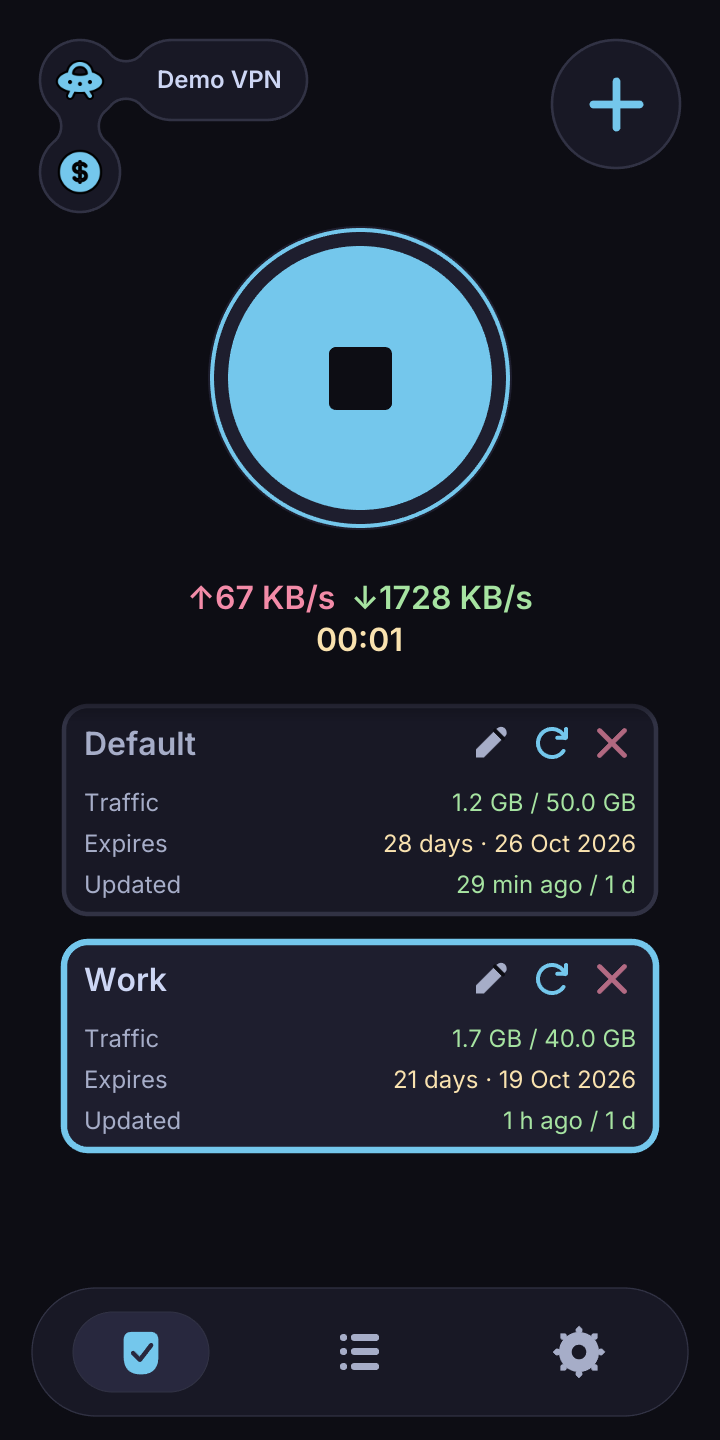
Connect from your profile.
Your subscription, usage, and connection control in one place.
Adding a profileSee where traffic goes.
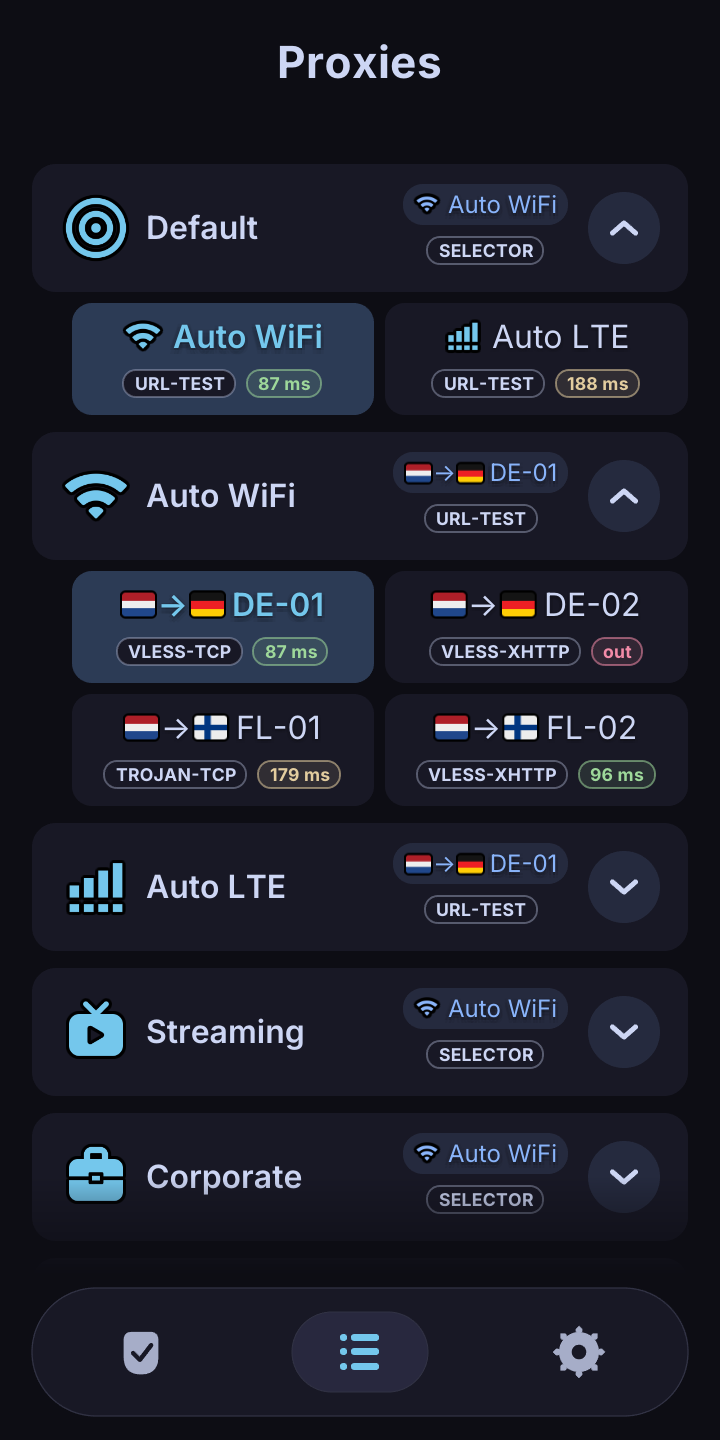
Choose a proxy group and inspect the available routes.
Understanding routingFind the useful details.
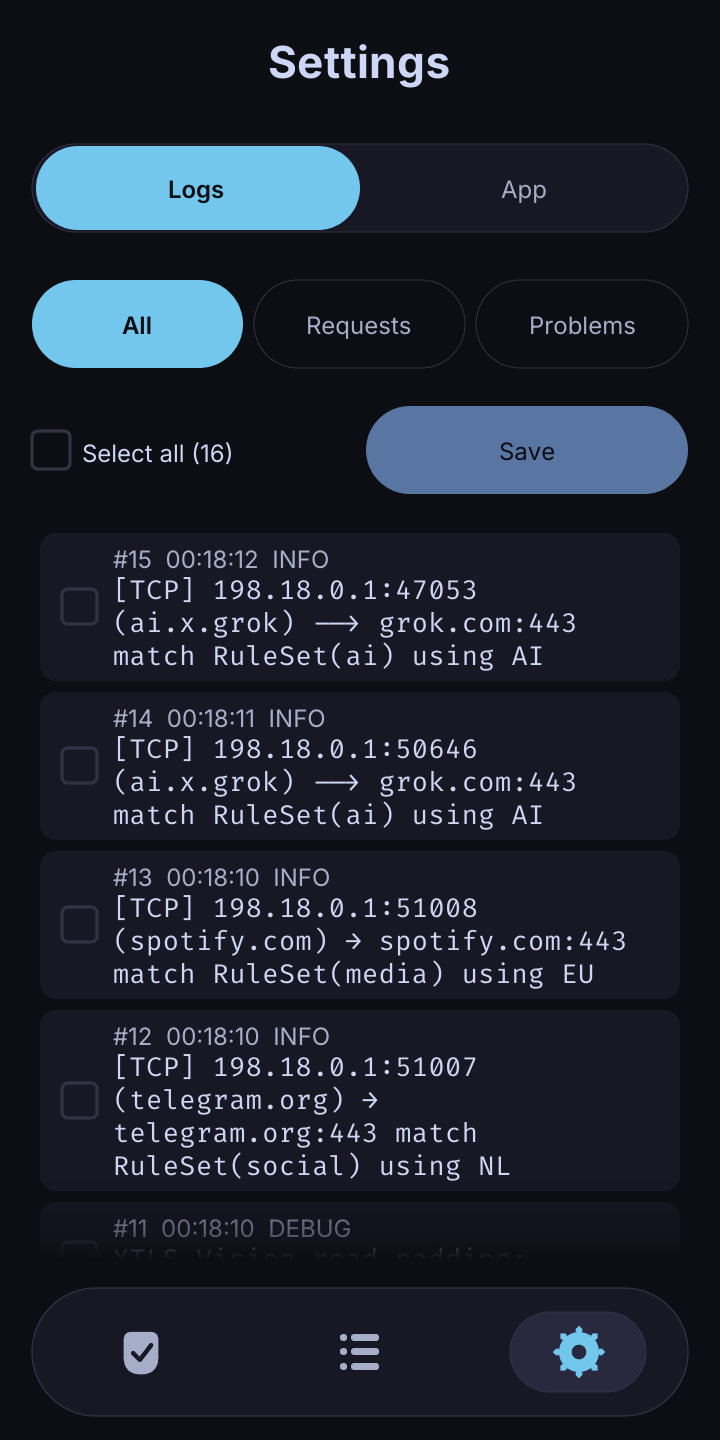
Automatic config audits catch common issues and apply fixes. Review findings in the logs.
Config audit and logsAt home on your device.
Mihonator is in development. Contact us for a test package for your platform.
Request a test packagemacOS
Apple silicon
Linux
x86-64
Android
Android 7.0+ · ARM64
Already have a build? Add your subscription and make your first connection.
A few things to know.
The app, your provider, and how they fit together.
Does Mihonator include a VPN subscription?
Mihonator is the client. Bring a Mihomo-compatible subscription from your provider. Servers, traffic, and billing are managed by that provider.
How does provider customization work?
The customization contract uses HTTP headers on the subscription response. It covers colors, identity, home layout, and purchase links. Start with the header reference or the interactive preview above.
Where do purchase buttons lead?
To the URL supplied by the service. A renewal link and an extra-traffic link can point to different checkout pages on the provider’s website. Mihonator does not process the payment.
What can I import?
Paste a subscription URL that returns a Mihomo YAML configuration. The current build uses a name-and-URL form. Follow the import guide to get started.